The sale notification comes in. Good item, good price. You go to pull it for shipping and it isn't where you thought it was. It isn't in the next bin either. Twenty minutes later you're digging through the garage with a flashlight.
Sometimes it turns up. Sometimes it doesn't, and you're left choosing between shipping late, shipping nothing, or canceling the order. On eBay, canceling because you can't find the item has a name: out of stock. And it counts against you.
I've sold on eBay for over 25 years. The fix for this isn't a bigger warehouse or a fancier shelf. It's knowing where every listed item is, written down, before it sells.
Quick Checklist: Never Lose a Sold Item
- Give every item a location before it's listed — a shelf, bin or box name, written down, not remembered.
- Use short, consistent location names — "Shelf A1" or "Bin 12," the same way every time.
- Update the location when you move something — photos, measuring and returns are when items wander.
- Check your oldest listings now and then — the longer an item sits, the more chances it's had to get moved.
- If you really can't find it, cancel fast and be honest — a quick cancel beats a late shipment and an angry buyer.
What a Lost-Item Cancel Costs You
eBay's seller standards policy lists two things that count as a transaction defect. One is a buyer case you don't resolve. The other is when you cancel an order unexpectedly, such as when an item is out of stock. eBay's cancellation help page says the same thing: cancel because you're out of stock and you may get a defect.
"Out of stock" doesn't mean you ran out. It means you can't send what you sold. A lost item is out of stock.
Why a few defects matter more than you'd think
eBay measures your defect rate over the last 3 months if you had more than 400 transactions, or the last 12 months if you had fewer. For a small seller, that means one bad week stays on your record for a year.
Going Below Standard is serious. eBay's policy says it can mean lower placement in search, lower selling limits, being blocked from Promoted Listings, funds held until tracking shows the item moving, and higher final value fees starting the next month. Below Standard takes defects from more than 4 different buyers, but losing Top Rated can take just 2. But it doesn't take many to lose Top Rated, and a missing item is the most avoidable defect there is.
Then there's the stuff that doesn't show up in a metric: the sale you lost, the buyer who waited for nothing, and the hour you spent searching instead of listing.
How Items Get Lost on Your Own Shelves
None of these are about being disorganized. They're about memory doing a job it isn't built for. You can remember where 50 things are. You can't remember where 300 things are, especially the ones you listed eight months ago and haven't touched since.
There's one more way an item disappears: it sold somewhere else. If you crosslist, an item can sell on Poshmark or Mercari while it's still live on eBay, and then the eBay buyer gets a cancel too. I covered that in the crosslisting mistake that puts seller accounts at risk.
A Storage System That Actually Works
It doesn't need to be fancy. It needs to be written down and used every time.
Name your spots
Label every shelf, bin and tote with a short name. "Shelf A1," "Bin 12," "Tote 4." Short names are easy to write on a label and easy to type. Use the same format everywhere so "A1" never turns into "a-1" or "Shelf A, 1st."
Assign the location when you list
This is the habit that matters most. When an item goes up on eBay, its location gets recorded at the same time. Not later, not after the batch. If you list first and shelve later, there's a window where the item exists on eBay and nowhere in your records.
Record it somewhere you'll look when it sells
A lot of sellers put the location in eBay's custom label (SKU) field. Others add it to the end of the title, like "A1" or "Shelf 15." Either works. A spreadsheet works. An inventory tool works. What doesn't work is a location that lives only in your head or on a sticky note on the item itself.
Update it when things move
Photos, measuring and returns are when items wander. If you move something, change its location. A return especially needs a new spot before it goes back up.
Spot-check the old stuff
Every so often, sort your listings oldest first and make sure you can lay hands on the first few dozen. If something is missing, end the listing now, before a buyer finds it.
How Autotabit Helps
Autotabit syncs your eBay listings, so every item you list shows up in your inventory without typing it in. From there:
- Every item has a Storage Location field. Save your location names once in Settings (like "Shelf A1"), then pick from the list in the item editor so the names stay consistent.
- The Dashboard To Do box counts items with no location, and tapping it shows you exactly which ones. New listings are easy to catch.
- Each order shows its storage location, so when something sells you know where to walk. Inventory search also looks up title, SKU, notes or location, and each item card shows where it is.
- The Location filter shows everything in one spot, which makes a quick shelf check easy: filter to "Bin 12" and make sure what's listed is actually there.
- Sort by oldest to check the listings most likely to have gone missing.
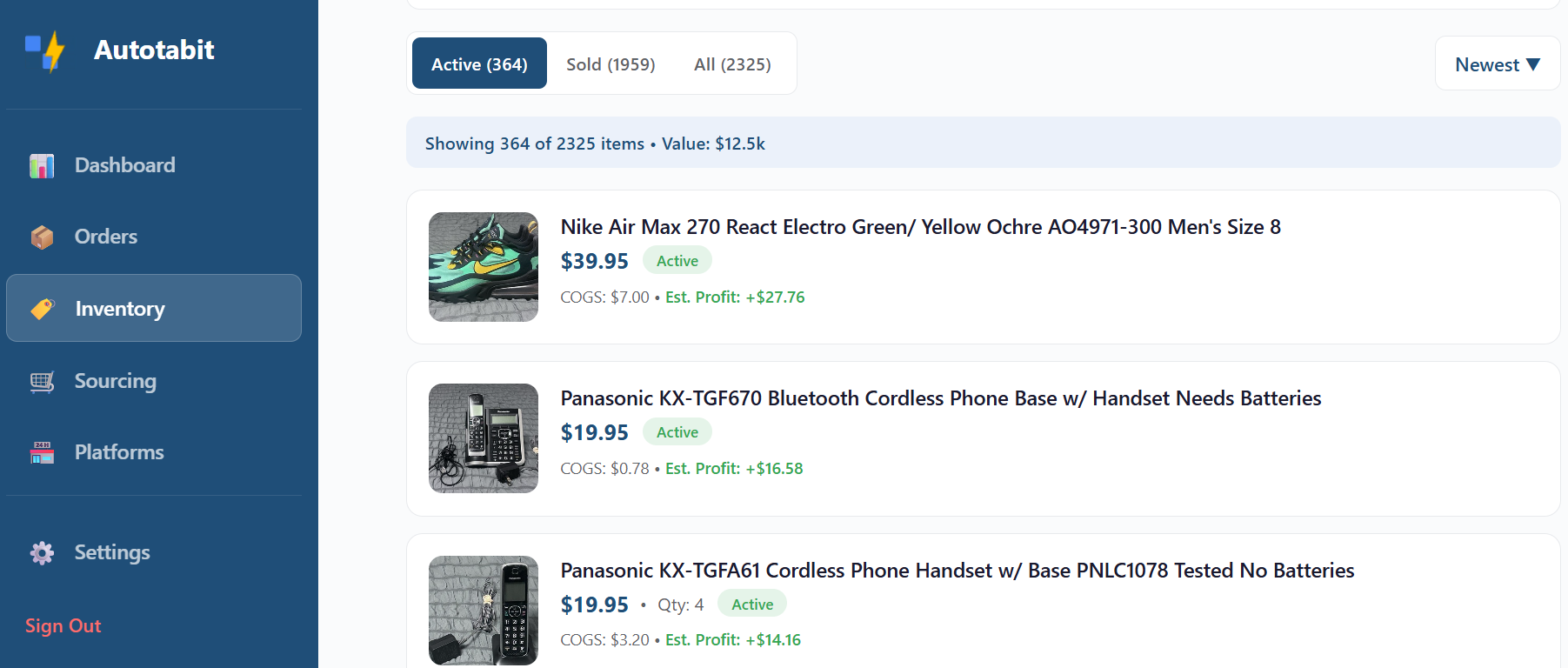
Inventory in Autotabit: search everything you've listed, or filter by storage location
Autotabit knows where you said you put something. It can't know you moved it. The system only works if the location gets updated when the item moves, same as a spreadsheet or a label.
When You Really Can't Find It
If it does happen:
- Search properly once. Check the photo area, the return pile, the packing table and the spots on either side of where it should be.
- Don't let it sit. A cancel within a day is better for the buyer than a week of silence followed by a cancel. Shipping late on top of it just adds another problem.
- Tell the buyer the truth. A short, honest message goes a long way. Don't send a substitute they didn't agree to.
- Fix the record. Once it's canceled, make sure the item isn't still listed anywhere else, and write down what went wrong so it doesn't happen again.
eBay's cancellation page says that for single-quantity Buy It Now listings, eBay will automatically relist the item after a cancel unless you choose "No" next to "Relist item?" If you can't find it, choose No. Otherwise you can sell the same missing item twice.
The Short Version
- Canceling because you can't find an item is an out-of-stock cancel, and eBay can count it as a transaction defect.
- Small sellers are measured over 12 months, so a couple of lost items can cost you Top Rated for a year.
- Give every item a written location when you list it, and update it when it moves.
- If an item is truly gone, cancel fast, be honest, and don't let eBay relist it.
Frequently Asked Questions
Does canceling an eBay order count as a defect?
If you cancel because the item is out of stock, which includes not being able to find it, eBay says you may get a transaction defect. eBay's seller standards policy lists seller-canceled transactions like this as one of the two kinds of defect.
How many defects can I have and stay Top Rated?
eBay's policy sets the Top Rated limit at a defect rate of no more than 0.5%, associated with no more than 3 different buyers. If you had fewer than 400 transactions in the last 3 months, eBay counts the last 12 months.
Does eBay relist an item after I cancel?
For single-quantity Buy It Now listings, eBay says it will automatically relist the item unless you select "No" next to "Relist item?" when you cancel. If you can't find the item, choose No.
What's the best way to label storage locations?
Short, consistent names like "Shelf A1" or "Bin 12," written on the shelf or bin and recorded with the item when you list it. The exact system matters less than using it every time.
Can Autotabit track where my items are stored?
Yes. Every item has a Storage Location field, you can save your location names so they stay consistent, and the Dashboard To Do box shows items that don't have a location yet. Search and a Location filter help you find items when they sell.
Know Where Every Item Is
Autotabit syncs your eBay listings, keeps a storage location on every item, and flags anything you haven't put away yet.
Start FreeEver had to cancel because you couldn't find something? Contact me using the link in the footer — I read every message.